
Mongo Migrate Kit for VS Code
Mongo Migrate Kit for VS Code is a GUI for the mmk command. It has a migration console for all your databases, a sidebar, run links above up() and down(), and a warning when you edit a migration that already ran.
It has no migration logic of its own. It runs your project's own mongo-migrate-kit from node_modules, with your config file, your .env and your Node.js, and shows what mmk ... --json returns. So the editor and npx mmk in a terminal always agree, and anything you do here you can also do from the command line.
Install
Search for Mongo Migrate Kit in the Extensions view, or install it from the Visual Studio Marketplace. Cursor, Windsurf and VSCodium install it from Open VSX.
You also need:
- mongo-migrate-kit 1.5.0 or later in the project:
npm install mongo-migrate-kit mongodb - Node.js on your
PATH(or setmmk.nodePath) - A trusted workspace, because running mmk runs your project's config and migrations
It starts in any folder with an mmk.config.js, .ts or .json, or a package.json that depends on mongo-migrate-kit. Monorepos, multi-root workspaces, Remote SSH, WSL and Dev Containers all work.
Installed "mmk for VS Code" before?
That was this extension's first name (guptasantosh327.mmk-vscode), and it no longer gets updates. Uninstall it and install Mongo Migrate Kit. Your mmk.* settings carry over, but add your environments' connection strings again: the keychain keeps them per extension.
The migration console
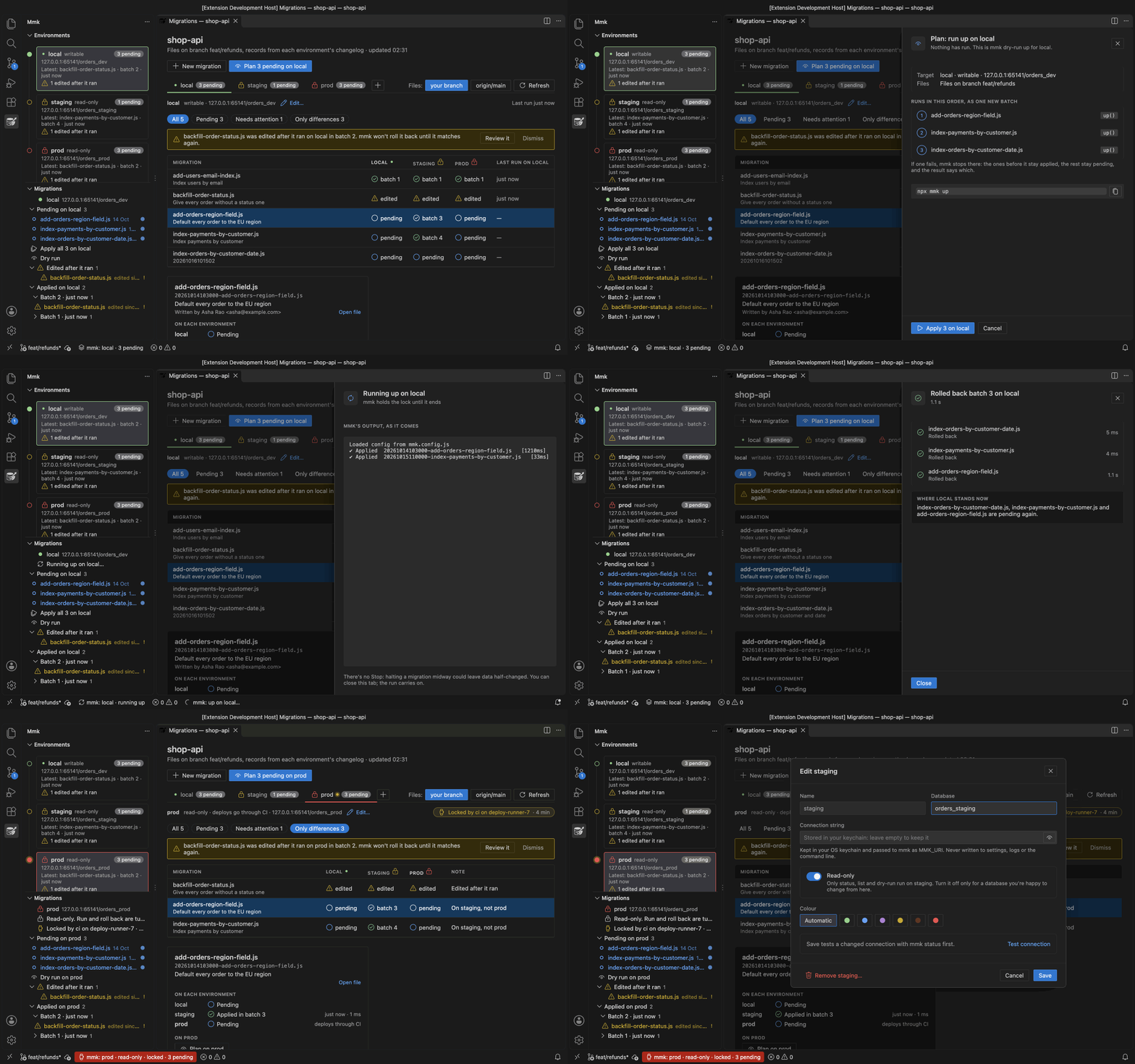
Open it with mmk: Open migration console, or the table icon in the mmk view. It shows every migration against every environment in one editor tab.
- Plan, then Apply: Plan shows what
upwould run, in order (mmk's dry run). Apply runs it and shows mmk's output as it comes. The result lists each migration, where the environment stands now, and the next step: open the file that failed, or roll the batch back. - Roll back a batch: the confirmation names every migration in it.
- Filters for Pending, Needs attention and Only differences, with notes like "On staging, not prod". You can also compare with the files on
origin/maininstead of your branch. - When another run holds an environment's migration lock, a line under the tabs says who (what
mmk lockshows), and runs wait until it lets go. - The
+next to the tabs adds an environment, and Edit… changes or removes one.
On your local database
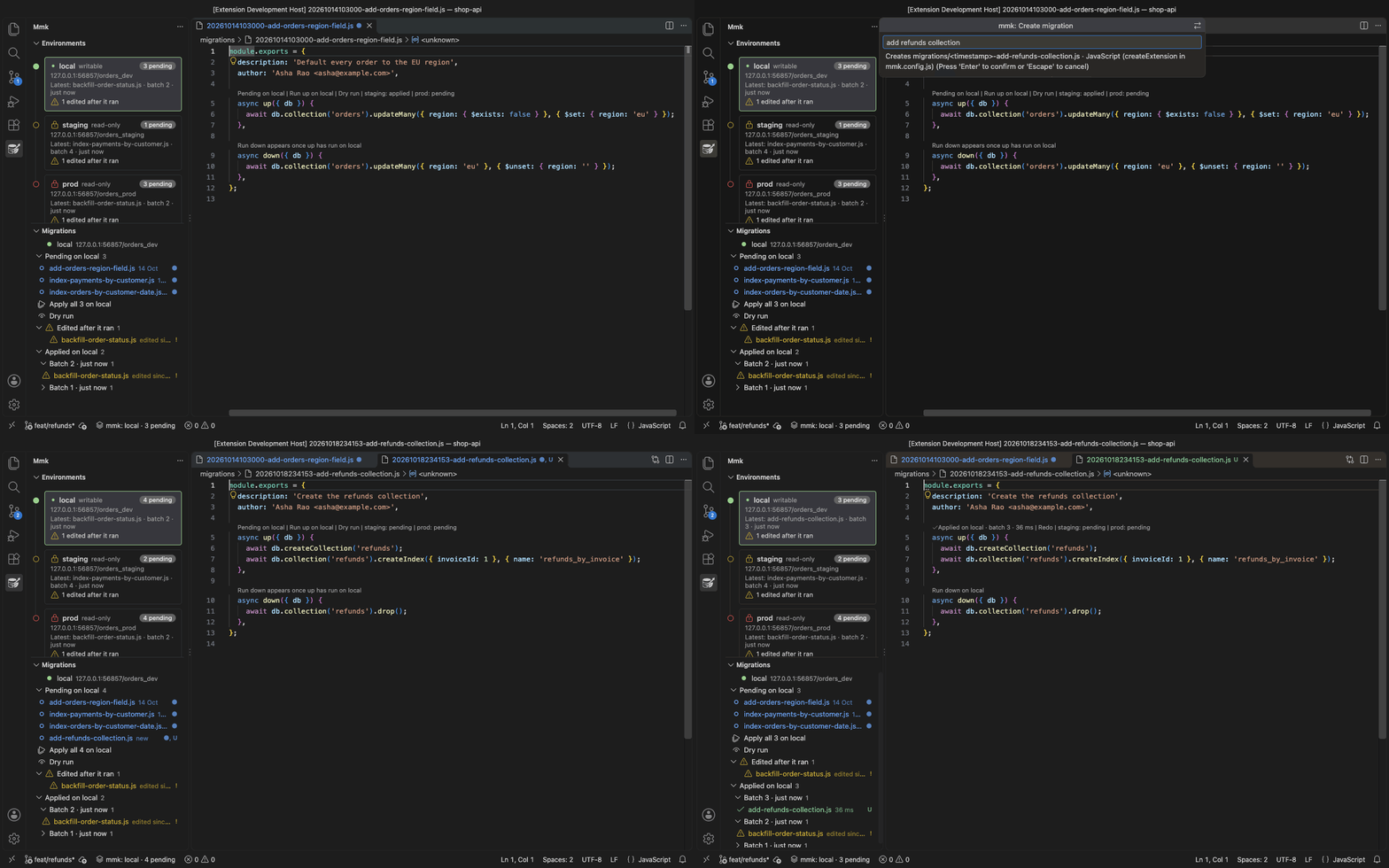
local is the connection your config file and .env give mmk, exactly as in a terminal.
- The sidebar lists what's pending, what was edited after it ran, and what's applied, grouped by batch. Apply all and Dry run sit next to the pending list.
- The
+creates a migration. It shows the file name mmk will create and lets you pick JavaScript or TypeScript. - Links above
up()anddown()run that one file: Run up, Dry run, Redo, Run down. Once it has run, they show its batch and how long it took. - The status bar says where you are (
mmk: local · 3 pending). Pending files get a●badge in the Explorer, edited ones a!.
Nothing runs on its own. Every run is a click, and rolling back or redoing asks first. Copy CLI command gives you the same command to paste into a terminal.
Staging and prod
Add the databases you deploy to with mmk: Add environment… (or the + in the console). One form asks for a name, the database, the connection string (in a masked box) and a colour, and tests the connection with mmk status before adding it.
- The connection string is kept in your operating system's keychain. It reaches mmk as
MMK_URIandMMK_DB, and is never written to settings, logs or the command line. - New environments are read-only unless you say otherwise. There the extension only runs
status,listanddry-run, and refuses write commands in code, not only in the UI. Deploys stay with your pipeline. - Each environment has its own colour in the sidebar, the console and the status bar. Local is green and prod is red.
A read-only database user
From mongo-migrate-kit 1.6.0, status, list and dry-run write nothing when they connect, so a user with only the read role is enough for staging and prod:
// In the mongo shell, as an admin
use orders_prod
db.createUser({ user: 'mmk-reader', pwd: passwordPrompt(), roles: [{ role: 'read', db: 'orders_prod' }] })
With 1.5, every command creates the changelog index when it connects, so the user needs permission to write (for example readWrite).
Editing a migration that already ran
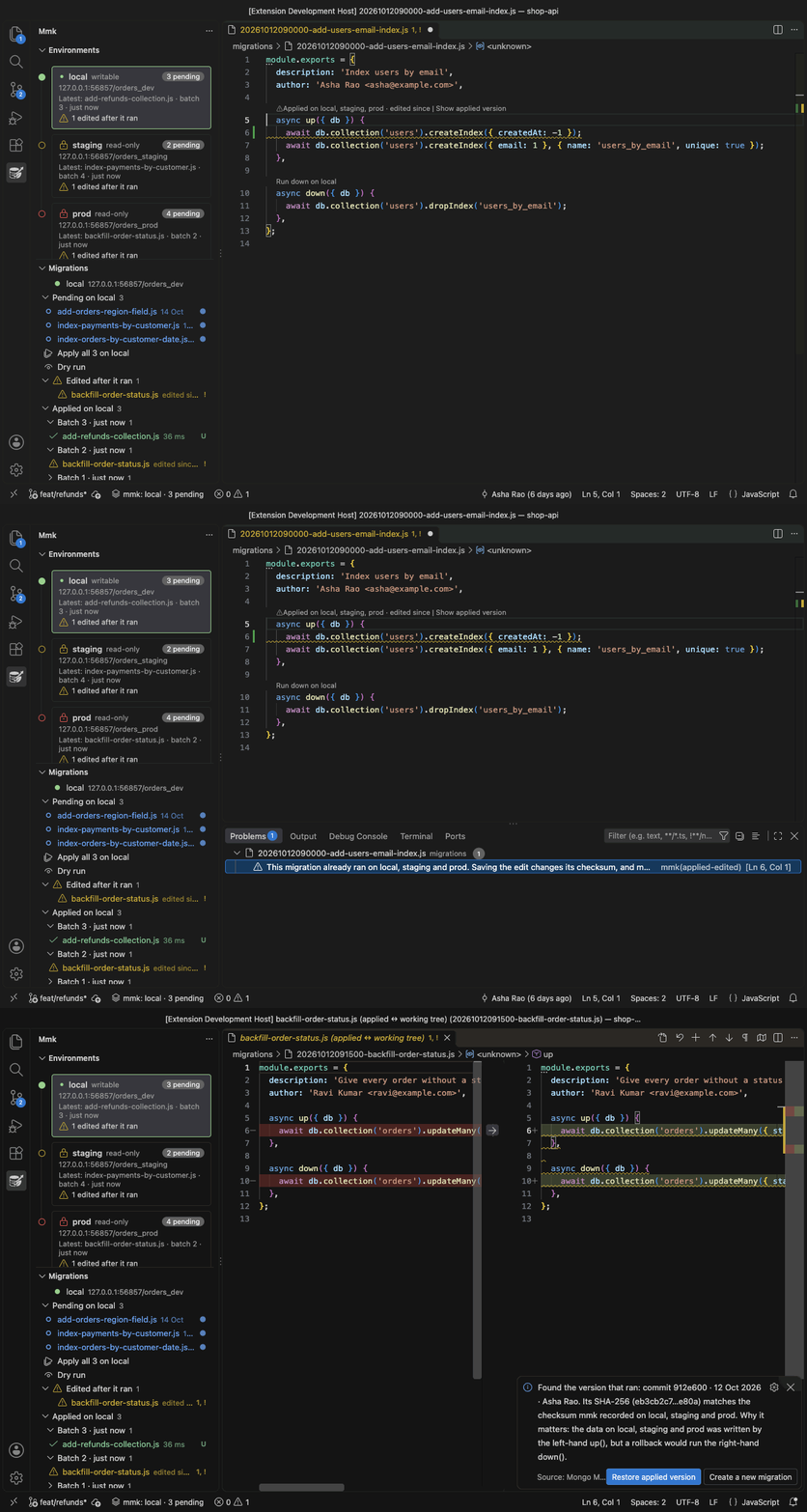
Changing a migration after it ran leaves databases that disagree: they keep what the old up() did, and a rollback would run the new down(). The extension warns on the changed lines while you type, before you save, and says where the migration ran.
Show applied version finds the commit whose copy of the file matches the checksum mmk recorded, and opens it next to yours. Restore applied version puts it back. Then write the change as a new migration.
This needs mongo-migrate-kit 1.6.0 or later.
Which mongo-migrate-kit version
| mongo-migrate-kit | What works |
|---|---|
| older than 1.5.0 | Nothing. The extension asks you to update. |
| 1.5.x | The local workflow, environments and the console. The database user needs permission to write. |
| 1.6.0 or later | Everything, including read-only database users, the warning on edited migrations, and who holds the lock. |
Update with npm install --save-dev mongo-migrate-kit@latest.
Settings
| Setting | What it does |
|---|---|
mmk.environments | Your environments besides local: names, read-only flags and colours. Connection strings stay in the keychain. |
mmk.nodePath | The Node.js that runs mmk. Empty means node from PATH, like your terminal. |
Privacy
No telemetry. The extension reaches your databases only through your own mmk, and sends nothing anywhere else. The source is on GitHub.