Run one file
mmk up
mmk up
Precise, safe migrations for MongoDB. Run a single file, roll back anything, and preview every change before it touches your database.

A preview, a real run, then rolling back one migration by name. This is the actual output.
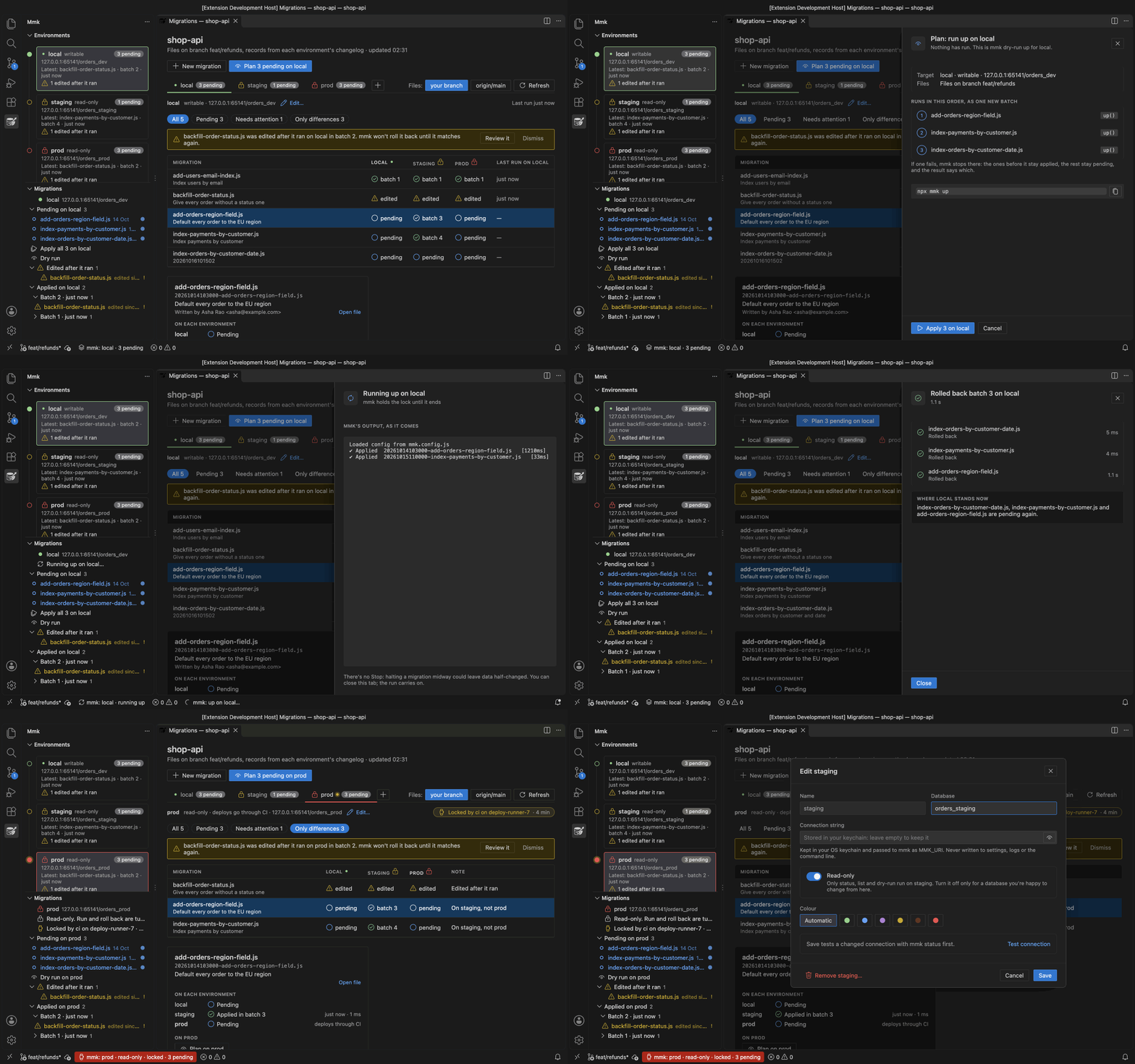
Mongo Migrate Kit for VS Code gives you a migration console, a sidebar and run links in your files. It runs your project's own mmk, so the editor and the terminal always agree.
| You want to | In a terminal | In VS Code |
|---|---|---|
| See what would run, then run it | mmk dry-run up, then mmk up | Plan, then Apply, with mmk's output as it comes |
| Run or roll back one file | mmk up <file>, mmk down <file> | The links above up() and down() |
| Roll back a batch | mmk down --batch <n> | Roll back batch n… in the console |
| Compare local, staging and prod | mmk status once per database | One table in the console |
| See who holds the lock | mmk lock | A line in the console and the sidebar |
| Notice an edit to a migration that already ran | mmk status, after you save | A warning while you type |
Install it and see what it does →
Start at the top. Each step takes you a bit further, and you can stop whenever you have what you need.
Install it, write your first migration, run it and roll it back.
Quick start →What a batch is, where the history lives, and how the lock and checksums protect you.
How it works →Config, CI pipelines, running on app start, transactions, and what to do when something fails.
Deploying →Several repos on one database, moving off migrate-mongo, and long-running data changes.
Sharing a database →Point mmk at the same database and run mmk import. It copies your history into its own collection and never changes the old one. After that, mmk up only runs what's new.